Enter Your Instagram Username
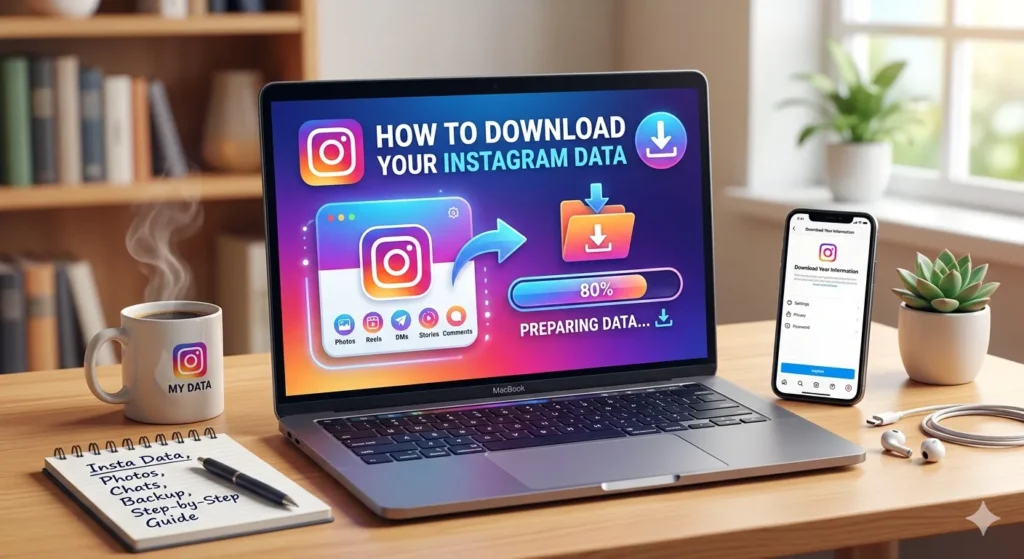
Instagram secretly stores every post you’ve ever liked, every DM you’ve sent, every account you’ve followed or unfollowed — and a lot more. The good news? You can download all of it for free, directly from Instagram itself.
Whether you want to check who unfollowed you, back up your photos and videos, see your complete DM history, or use a safe analytics tool like our Instagram Unfollowers Tracker — downloading your Instagram data is the first step.
In this guide, we’ll show you exactly how to do it on iPhone, Android, and desktop — plus what’s inside the file and what you can do with it.
Why Should You Download Your Instagram Data?
Before jumping into the steps, here’s why this is worth doing:
- ✅ See who unfollowed you — safely, without giving your password to any app
- ✅ Get a complete backup of all your photos, videos, reels, and stories
- ✅ View your full DM history, even deleted conversations
- ✅ Check your login history to detect suspicious activity
- ✅ Use analytics tools that require your data file instead of your password
Under GDPR (Europe) and CCPA (California) privacy laws, Instagram is legally required to give you a copy of all personal data they hold about you. This is your right — use it.
How to Download Instagram Data on iPhone (iOS)
Time required: 2-3 minutes to request | 5 mins to 48 hours to receive
Step 1: Open Instagram and tap your profile picture (bottom right)
Step 2: Tap the three horizontal lines (☰) in the top-right corner → tap Settings and privacy
Step 3: Scroll down and tap Accounts Center (Meta’s unified settings hub)
Step 4: Tap “Your information and permissions” → then tap “Download your information”
Step 5: Select your Instagram account
Step 6: Choose what to download:
- Select “All available information” for complete data
- Or choose specific categories (followers, messages, etc.)
Step 7: Select format:
- JSON format — required if you want to use analytics tools like our Unfollowers Tracker
- HTML format — easier to read in a browser
Step 8: Select “High” media quality for full-resolution photos/videos
Step 9: Tap “Submit request” — Done!
You’ll get an email + in-app notification when your data is ready.
How to Download Instagram Data on Android
The steps are almost identical to iPhone:
Step 1: Open Instagram → tap your profile picture → tap ☰ (three lines)
Step 2: Tap “Settings and privacy” → scroll to “Accounts Center”
Step 3: Tap “Your information and permissions” → “Download your information”
Step 4: Select your Instagram account → choose “All available information”
Step 5: Select JSON format → High quality → tap “Create files”
Step 6: Wait for the email from Instagram. Download within 4 days — the link expires!
How to Download Instagram Data on Desktop (Computer)
Prefer using a computer? Here’s how:
Step 1: Go to instagram.com and log in
Step 2: Click your profile picture (top right) → click Settings
Step 3: Click “Accounts Center” from the left sidebar
Step 4: Click “Your information and permissions” → “Download your information”
Step 5: Select your Instagram account
Step 6: Choose format: JSON (recommended) or HTML
Step 7: Click “Create files” to submit your request
How Long Does Instagram Data Download Take?
Processing time depends on your account size:
| Account Size | Posts/Activity | Wait Time |
|---|---|---|
| Small Account | Under 1,000 posts | 5–30 minutes |
| Medium Account | 1,000–10,000 posts | 1–4 hours |
| Large/Old Account | 10,000+ posts | Up to 48 hours |
Tips:
- Check your spam/junk folder if you don’t get the email
- The download link is valid for only 4 days — download immediately
- If no email after 48 hours, submit the request again
What’s Inside Your Instagram Data File?
Once downloaded, you’ll get a ZIP file containing folders and JSON/HTML files. Here’s what’s inside:
Followers & Following
Complete lists of everyone who follows you and everyone you follow — with timestamps of when each follow happened. This is how tools like ours can show you exactly who unfollowed you.
Posts, Stories & Reels
Every photo, video, reel, and story you’ve ever posted — with original captions, location data, and timestamps.
Direct Messages (DMs)
Your complete DM history — including text, shared posts, voice messages, reactions, and even deleted messages.
Likes & Comments
Every post you’ve ever liked and every comment you’ve made — going back to when you first joined Instagram.
Account & Profile Info
Your profile data, email addresses, phone numbers, linked accounts, bio history, and account settings.
Login & Security History
Login history, devices used, IP addresses, and security events like password changes. Great for spotting if your account was accessed by someone else.
Ads & Interests
What categories Instagram thinks you’re interested in (used for ad targeting). Eye-opening to see!
How to Use Your Instagram Data File
Check Who Unfollowed You (Safe Method)
Upload your Instagram data file to our Instagram Unfollowers Tracker — no password required, 100% private. We analyze the followers/following JSON files to show you exactly who isn’t following you back.
This is the safest way to check unfollowers — you never give your Instagram password to any third-party app.
Backup Your Photos & Videos
Extract the media folder from the ZIP file. All your photos and videos will be there in full quality — a permanent backup even if Instagram shuts down or you delete your account.
Detect Suspicious Activity
Open the login_activity.json file to see every device and IP address that has accessed your account. If you see unknown locations, change your password immediately.
Analyze Your Activity
See your peak posting times, most liked content, most active periods, and engagement history — all from your raw data.
Understanding the JSON Files
If you open the followers_1.json file, it’ll look something like this:
[
{
“title”: “”,
“media_list_data”: [],
“string_list_data”: [
{
“href”: “https://www.instagram.com/username/”,
“value”: “username”,
“timestamp”: 1672531200
}
]
}
]
Don’t worry if this looks confusing! Tools like our Unfollowers Tracker automatically read and analyze these files — you just upload the ZIP and we do the rest.
Common Problems & Fixes
“I didn’t get the email”
→ Check spam/promotions folder. Also check the in-app notification inside Instagram Settings.
“The download link expired”
→ You need to submit a new request. Links are only valid for 4 days.
“My data file is very large”
→ This is normal for older or very active accounts. Try selecting specific categories instead of “All information” for a smaller file.
“The JSON file won’t open”
→ JSON files aren’t meant to be opened directly. Either use a JSON viewer website or upload directly to a tool like ours.
“I selected HTML but I need JSON”
→ You’ll need to submit a new request and select JSON format this time.
Frequently Asked Questions
Is downloading my Instagram data safe?
Yes, completely. You’re downloading directly from Instagram’s official servers. The process is built-in to the app.
Will Instagram notify me or other users when I download my data?
No. Downloading your data is completely private. No one — including people you follow or who follow you — is notified.
Can I download data for someone else’s Instagram account?
No. You can only download data for an account you own and are logged into.
How often can I request my Instagram data?
Instagram allows multiple requests, but there may be rate limits if you request too frequently. Once every few weeks is fine.
Does downloading data affect my account in any way?
No. It’s a read-only process — nothing in your account changes.
What is the best format — JSON or HTML?
JSON is better if you plan to use any analytics tools. HTML is easier to read manually in a browser.
How far back does Instagram data go?
Your data includes everything from the day you created your account.
Final Thoughts
Downloading your Instagram data takes less than 5 minutes to request and gives you complete transparency over your digital footprint. Whether you want to back up your memories, detect security threats, or use a safe unfollower tracking tool — your data file is the key.
Ready to see who unfollowed you? Once you have your JSON file, upload it to our free Instagram Unfollowers Tracker — no password needed, instant results.